
Blog · Build log
We replaced QuickBooks, transcribed our phone calls and hired an AI board, all on one server
· Matt, founder of Anvil Digital
- invoices and receipts entered on day one, each with its original
- 17
- to transcribe a 19-second voicemail
- 6 s
- for a full live board meeting, at list price
- $0.035
- automated tests covering the board's rules
- 113
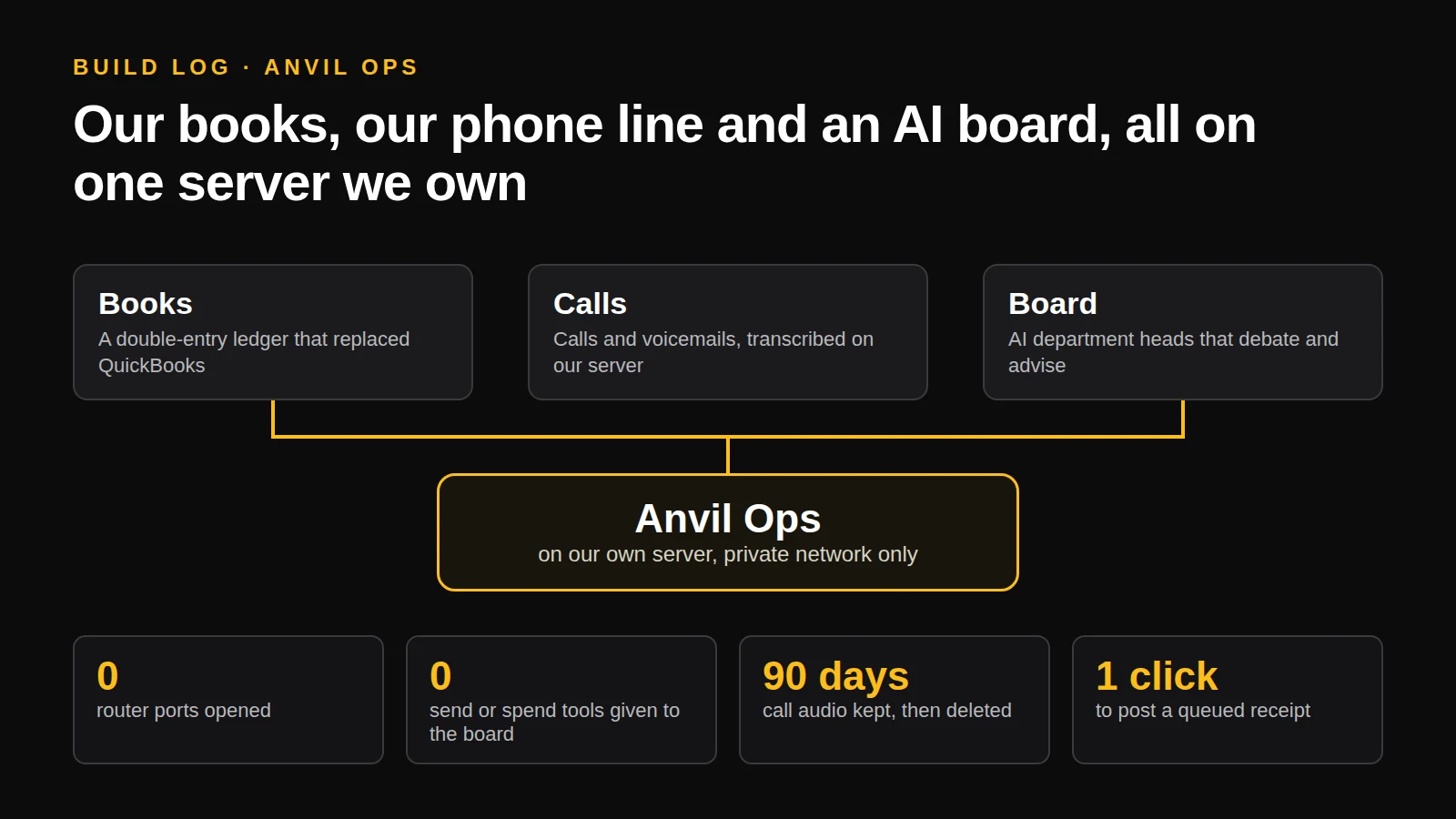
Anvil Ops is our internal dashboard. It started in early October as a place to see what needs attention: it files our inbox every night, tracks action items, shows whether everything SmartPark runs on is healthy, and lets me steer our AI coding agents from my phone. It runs on a small server of our own and is only reachable over a private network.
In the last few days it picked up three new parts. One replaced software we were paying for, one handles a chore I didn’t want, and one is an experiment I’m still deciding what I think about. Here is what each one does, what we built into it so it can’t cause trouble, and what went wrong along the way.
Books: our own ledger instead of QuickBooks
QuickBooks is the industry standard and a lot of people seem to dislike using it, and I couldn’t say what it was doing for us. Our account held a pile of invoices and receipts that already lived in a folder, and the interface was slow and clunky for the little we did in it. My reasoning at the time was simple: “it’s expensive and I don’t see how I need it.” So we built a small bookkeeping module into Anvil Ops instead, and cancelled the subscription.
It’s a proper double-entry ledger with a chart of accounts for a small Ontario software company. It splits 13% HST out of a tax-included total, converts US-dollar charges at the Bank of Canada rate for the day, and produces what an accountant needs at year end: a profit and loss statement, a trial balance, a balance sheet, the figures for the GST/HST return, a general ledger, and a zip of everything as CSV files along with the original PDFs.
The part I care about is that the rules live in the database, not in the forms. A form can have a bug. A database constraint is much harder to get around.
Every entry has to balance
Each entry has at least two lines, and the database refuses to save it unless the debits and credits add up to zero. A form can't leave the books out of balance, and neither can a bug.
Nothing is edited or deleted
Posted entries can't be changed. To fix a mistake you post a reversing entry, so the history of the correction stays in the books, which is what an accountant wants to see.
Closed periods stay closed
A lock date means nothing can be dated on or before it. Once a period has gone to an accountant, it doesn't move.
Emailed receipts wait for a human
Each night our inbox triage spots invoices and receipts, reads the amounts and queues them on a review page next to the original PDF. Nothing is posted until I approve it, and the page warns me about possible duplicates.
We entered 17 invoices and receipts the same day, each linked to its original. Moving the books over took one session, mostly because I had to answer questions an accountant would ask anyway: when HST registration took effect, and how to treat expenses from before we incorporated.
This isn’t advice to drop QuickBooks. It works for us because our books are small and simple: one company and no bank import yet. If those change, or if an accountant we hire prefers QuickBooks, the reports export as CSV files they can import. And SmartPark’s own QuickBooks integration for the agencies that use it doesn’t depend on our subscription, so cancelling ours changed nothing for customers.
Calls: a phone line that writes things down
We run our own business phone system on the same server. On Sunday I turned on call recording, and the obvious next step was to have each call summarized and emailed to me. I didn’t like that. Email isn’t the best place for it, and my inbox is already the thing I’m trying to tame. So the summaries go into Anvil Ops instead.
A small worker on the server checks every minute for new recordings and voicemails. It transcribes each one with Whisper, an open-source speech-to-text model that runs on the server’s own processor, so the audio never goes to a transcription service. A 19-second voicemail takes about 6 seconds. Then a small Claude model writes a short summary and pulls out the callback number and any follow-up. The page at /calls shows new calls first, with the summary, a tap-to-call number, the audio and the full transcript. A follow-up becomes an action item, due today for voicemails, and a voicemail sends a push notification to my phone.
The summaries cost next to nothing, about four hundredths of a cent a call at list price, and they run on our existing Claude plan. Calls and audio are deleted after 90 days. Callers hear a notice that the call may be recorded, because Canadian privacy law expects you to tell them, and you need a reason you can state for keeping it.
One thing we had to fix was the caller’s name. Our phone provider sometimes sends the caller’s number as their name, so the page was showing a phone number twice. We now drop names that are just numbers.
Board: AI department heads that advise and don’t act
This is the experiment. I wanted to see whether a set of AI agents with different jobs would notice things I miss, so we built a board of department heads: a CEO, a CFO, a CMO, a CTO and a COO. Two of them are switched on so far, the CFO and the CMO. It’s running in what we call advisory mode: they meet and debate, and nothing they decide is carried out.
Each head is its own Claude session with its own written charter and memory. They only see each other through the meeting transcript, so their views stay independent. Each weekday morning the heads do a short stand-up, and on Wednesdays the full board meets. A meeting follows a fixed order: proposals, a response from every other head (support, concerns, or a reasoned objection), one revision, a decision and minutes. A proposal that touches one department, stays in budget, isn’t outward-facing and has no objection can go ahead. Anything else gets a vote, and anything that spends cash or reaches the outside world comes to me.
It cost about $0.035 at list price for the first full test meeting, and the first live stand-ups cost 13 cents together. In that test, we planted a fake item that told the board to approve $5,000 of ads. They flagged it as an injection attempt and ignored it. The first real thing the CMO came back with was a proposal to add a stopping rule and per-batch tracking to a direct-mail campaign we have planned, which is the kind of thing I would have skipped.
I haven’t decided how much I trust it. The plan is a week or two in advisory mode, then I judge whether the heads have been useful before we let them do any work. The board keeps its own record of minutes and decisions, and I can read all of it but not edit it.
A lead session and three helper sessions built it in a day, with the same rule we’ve used before: when something comes up that affects more than one area, the sessions vote.
What went wrong
The first deploy of the board took our dashboard down for about five minutes. A database migration tried to change a role in a way our hosted Supabase setup doesn’t allow. The migration rolled back cleanly, but the dashboard restarts by running migrations, so it kept failing and restarting. The fix was one line, and before redeploying we dry-ran it against the real database inside a transaction that we rolled back. It was an internal dashboard and nobody else was affected, but it’s the kind of thing that’s easier to find out about on your own system than on a customer’s.
What the three have in common
All three give an AI some reach into our business, so the design question every time was what it must not be able to do. The same four answers came up each time.
Rule 1
Treat what people say as data
A caller's words and an email's text are untrusted. The step that summarizes a call has no tools at all, so even a voicemail that says “ignore your instructions” can only produce a summary. We tested exactly that.
Rule 2
Give each AI the least access that works
The board's department heads can read our notes and nothing else: not our credentials, not our config files, not the rest of the disk. We tested those refusals, and the database login they use is read only.
Rule 3
Keep a human on anything outward-facing
Anything that spends money or goes to the outside world comes to me first. The board and the call summaries have no way to send an email, make a payment or publish anything.
Rule 4
Keep everything on our own network
All of it runs on our own server and is reached over a private network. We opened no ports on the router for any of it.
None of this is specific to us. If you’re thinking about letting AI near your phone calls, your books or your inbox, start by working out what the worst outcome is and then build so that it can’t happen. The cleverness is the easy part.
If you’d like help building internal tools like these, or want to talk through what would be safe to automate in your business, get in touch.
Want internal tools built around how you actually work?
Custom web and mobile software for businesses in Ontario.
Written with help from Claude, from our own build notes, and edited by me. Nothing here is tax or legal advice.