
Blog · Case study
Our backups all passed. Our first test restore didn't.
· Matt, founder of Anvil Digital
- daily backups completed
- 8 of 8
- restores, neither touching production
- 2
- silent differences found
- 4
- database tests passing
- 655
SmartPark, our parking-management app for property managers and security companies, has its soft launch on October 19. Before real customers trust it with their data, we’re working through what a SOC 2 audit would ask of us. SmartPark isn’t SOC 2 audited, and we don’t claim it is. But an honest list of where we stand had one line that bothered me more than the rest: backups exist, but nobody has ever restored one.
A backup you’ve never restored is a hope, not a control. An auditor will ask to see a restore you actually did, written down, with results. So I sat down with Claude Code and we did one properly.
Step one: are the backups really there?
Our database runs on Supabase, which backs up paid projects every night. Rather than trust the dashboard’s green ticks, we asked Supabase’s API directly: eight nightly backups, every one completed, the latest from that morning. Good news, with one catch we wrote down: point-in-time recovery was off, so the worst case is losing up to a day of changes. Point-in-time recovery would cut that to minutes, and we decided to leave it off for the launch: with a handful of early customers, a day is a risk we can carry, and we’ll turn it on when customers depend on SmartPark every day. What changed is that it’s now a decision we made and wrote down, not a default nobody looked at.
Step two: restore it, without going near production
The first surprise was on the safety side. Every restore endpoint in Supabase’s API restores over the top of the live database. That’s the right tool for a real disaster and exactly the wrong one for a test, so the rule for the day was simple: nothing gets restored onto production, and Claude ran only read-only queries against it.
We restored twice, in two different ways:
- Supabase’s own nightly backup, into a brand-new, temporary project. This proves the backup we’re paying for actually comes back.
- Our own export of the database, into a throwaway copy of Supabase on a laptop. This is the backup we’d still have if we ever had to leave a provider, so it needs to work too.
Step three: prove it’s the same database
“The restore finished without errors” is where most backup tests stop. It’s also nearly meaningless: a database can load cleanly and still be missing things. So we compared the restored copy with production, piece by piece:
| What we compared | How |
|---|---|
| Rows in every table | 81 tables, counted in both and compared |
| A fingerprint of every table | A hash of each table's full contents, so a changed value shows up, not just a missing row |
| Permissions | Who may read, write or call each of 239 tables, columns and functions |
| Security rules | 96 row-level policies and 38 triggers, compared word for word |
| Links between records | 155 foreign keys re-checked against every restored row |
| Tenant isolation | Signed out, or signed in as a stranger, you see none of anyone else's data |
| The test suite | 655 database tests, run against a clean copy as a control and against the restore |
The data itself came back exactly: every row, every value. The database around the data did not.
What a clean-looking restore got wrong
Our own export took two small fixes to load at all (both about Supabase-managed roles). Once it loaded, it reported no errors, and it was quietly different from production in four ways. None of them would have shown up by clicking around the app.
Finding 1
Access came back wider than it should have
New Supabase databases grant new tables and functions to every role by default, and our migrations take those grants back. A standard Postgres export only records permissions relative to Postgres's own defaults, so the take-backs were lost: dozens of functions came back callable by people who weren't signed in.
Fix: Clear the default grants before loading the export, so the export's own permissions are the only ones applied.
Finding 2
Two account triggers were missing
One creates a person's SmartPark profile when their account is created; the other writes every sign-in to our audit log. Both live in Supabase's own authentication schema, which the export leaves out.
Fix: Re-create them from our migration files as part of the restore.
Finding 3
Three photo-storage rules were missing
The rules for who can upload and view parking-infraction photos, and the one that makes anyone who has set up two-factor sign-in actually use it, sit in Supabase's storage schema, also left out. These failed safe (nobody could see photos, rather than everybody) but the feature would have been broken.
Fix: Re-create them from our migration files.
Finding 4
A safety net that only existed in the dashboard
Supabase can switch on row-level security automatically for every new table. That setting was turned on with a click, so it was in no file we keep, and a restore quietly dropped it.
Fix: Re-create it in the restore, and move it into a migration so it's written down.
The first one is the one that matters. Every other row-level rule still held, so a signed-out visitor saw no data. But a restore that silently loosens permissions is the worst kind of failure, because it looks like success. On a bad day, in a hurry, nobody would have noticed until someone else did.
Our 655 database tests found it before the comparison did. They passed on a clean copy and failed on the restore, and the failures weren’t vague. The failing tests were called “officers cannot insert check-ins directly” and “signed-in users cannot call it directly”, among others: rules production enforces and the restore didn’t. Some other tests failed only because they expect an empty database and found real customers in it, and we were careful to tell the two kinds apart rather than wave them all through.
What Supabase’s own backup showed
Supabase’s nightly backup is a different kind of copy: a snapshot of the whole database server, not an export of its contents. We restored that morning’s backup into a new, temporary project from the dashboard. It took about five minutes from the click to a working database, and it passed every check the first time, with no fixes: same rows, same permissions, same triggers and rules, the safety net included.
It also showed us the edge of what a database backup covers. Photos and other files in storage aren’t part of it. We have no photos yet, but officers will start adding them at launch, so how we back those up is the next decision on the list.
So the two restores answer different questions. Supabase’s backup is the fast way back from a bad day. Our own export is the way out if we ever need to move, and the restore drill makes it safe to use.
What we changed
- A restore script that does all four fixes every time, refuses to run against production, and loads everything in a single transaction, so a failure leaves nothing half-done.
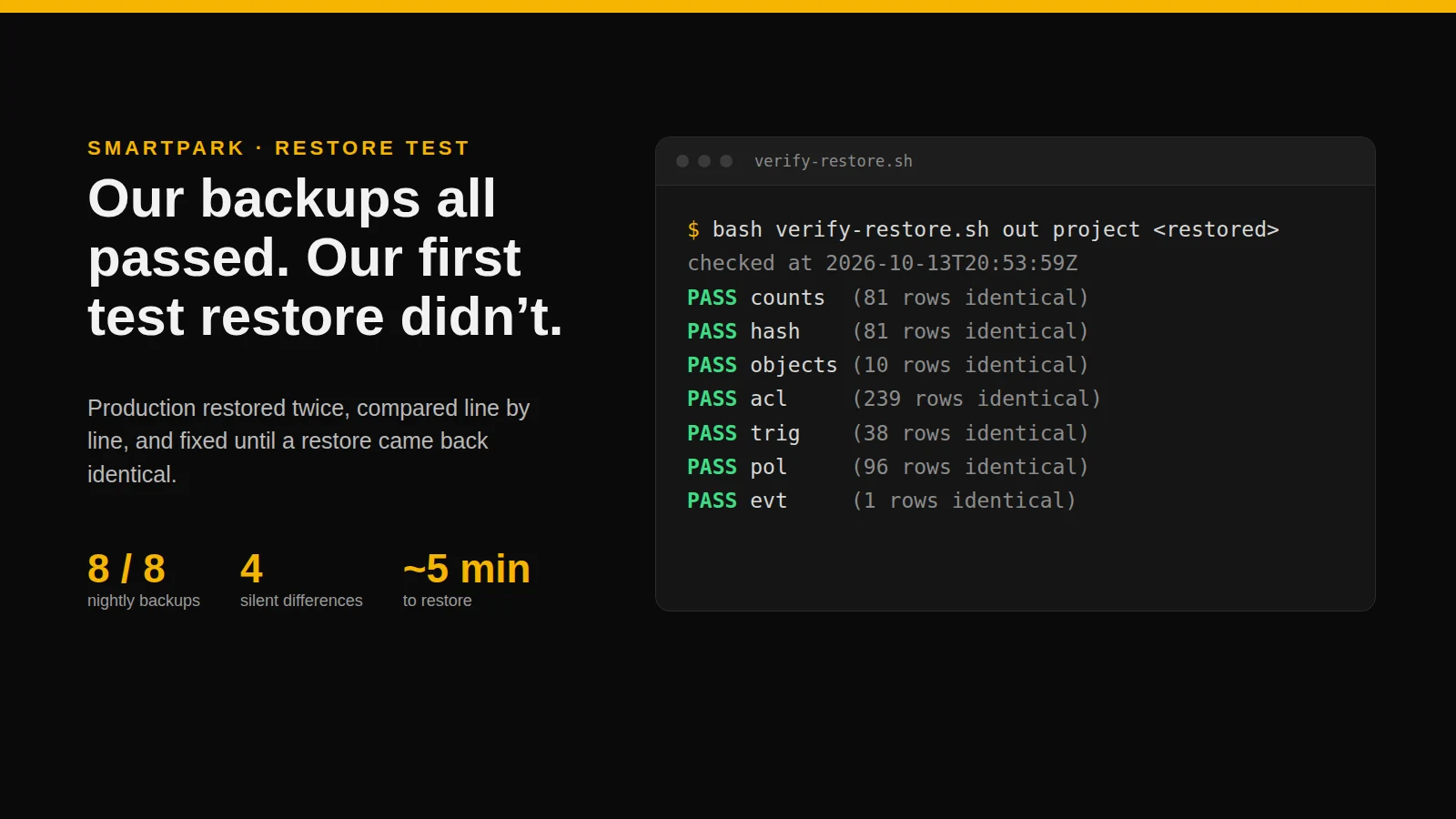
- A verification script that runs every comparison above and prints a pass or fail for each. The final run: all seven passed, identical to production.
- A written record of the test: what we did, when, what failed, what we fixed and the evidence files. It’s exactly what an auditor asks for, and it’s filed with our company records.
- A schedule. We’ll repeat the drill every quarter and after any big change to the database, because the next migration could add a fifth difference.
Where this leaves SOC 2
SOC 2 isn’t a checklist of technologies. It asks whether you have controls and whether you can prove they work. For backups, that means a tested restore with evidence, a known worst case for lost data, and a habit of doing it again. We now have the first, have written down the second, and have scheduled the third. There’s plenty left on our list (monitoring, an incident plan, written policies) and we’ll keep writing up the useful parts.
What I’d tell another team
- Restore, then compare. “It loaded” proves almost nothing. Compare permissions and security rules, not just rows.
- Know which restore button overwrites production. On Supabase, the API’s restore endpoints all do. Test into a new project.
- On Supabase, check what your export leaves out. Triggers and policies on the auth and storage schemas, dashboard-only settings, and permissions your migrations revoked.
- Keep the test suite honest. Run it on a clean copy too, so you can tell a real failure from a test that just didn’t expect real data.
- Write it down the same day. The record is the control. Without it, the test didn’t happen as far as an auditor is concerned.
This is how we build for clients: AI does a lot of the work, and people own the decisions, the testing and anything that touches your data. If you’re putting customer data into software and want it done this carefully, talk to us.
Have something you’d like built?
Custom web and mobile software for businesses in Ontario.
Written with help from Claude, from the restore session’s record, scripts and test results, and edited by me.